Advanced rows

52 rows, split across six sections: Content 10, Type 7, Layout 5, Decor 5, Hardware 23, Aging 2.

Every row lives in Manual Overrides (Global) and applies to every sign on the street. To change one sign only, use that sign's card Note, or the VEXpression (Per Sign) field.

Three rows have no Manual Overrides entry of their own, because the ordinary control in the Content tab already does the job: Theme, Deterioration and Deterioration Amount. They are listed below with the rest so the pre-plan VEXpression hooks for them can be found in one place.

Every row has a small Auto / Custom menu beside it. On Auto, the engine decides the value. On Custom, the value beside it is forced.

Hardware rows have no pre-plan VEXpression hook. To change hardware from a VEXpression, use the VEXpression Override.
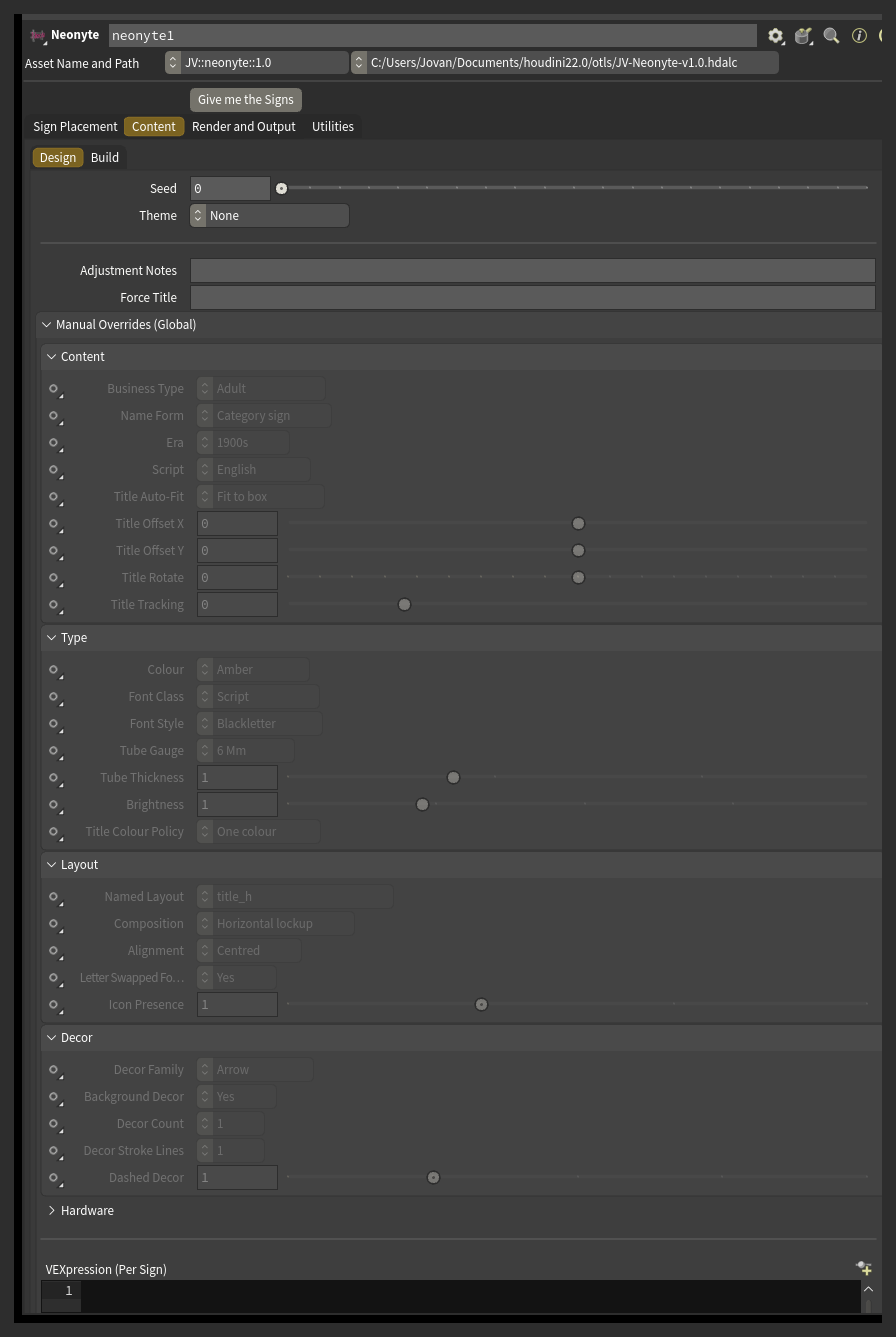
Manual Overrides (Global): the Content, Type, Layout and Decor sections
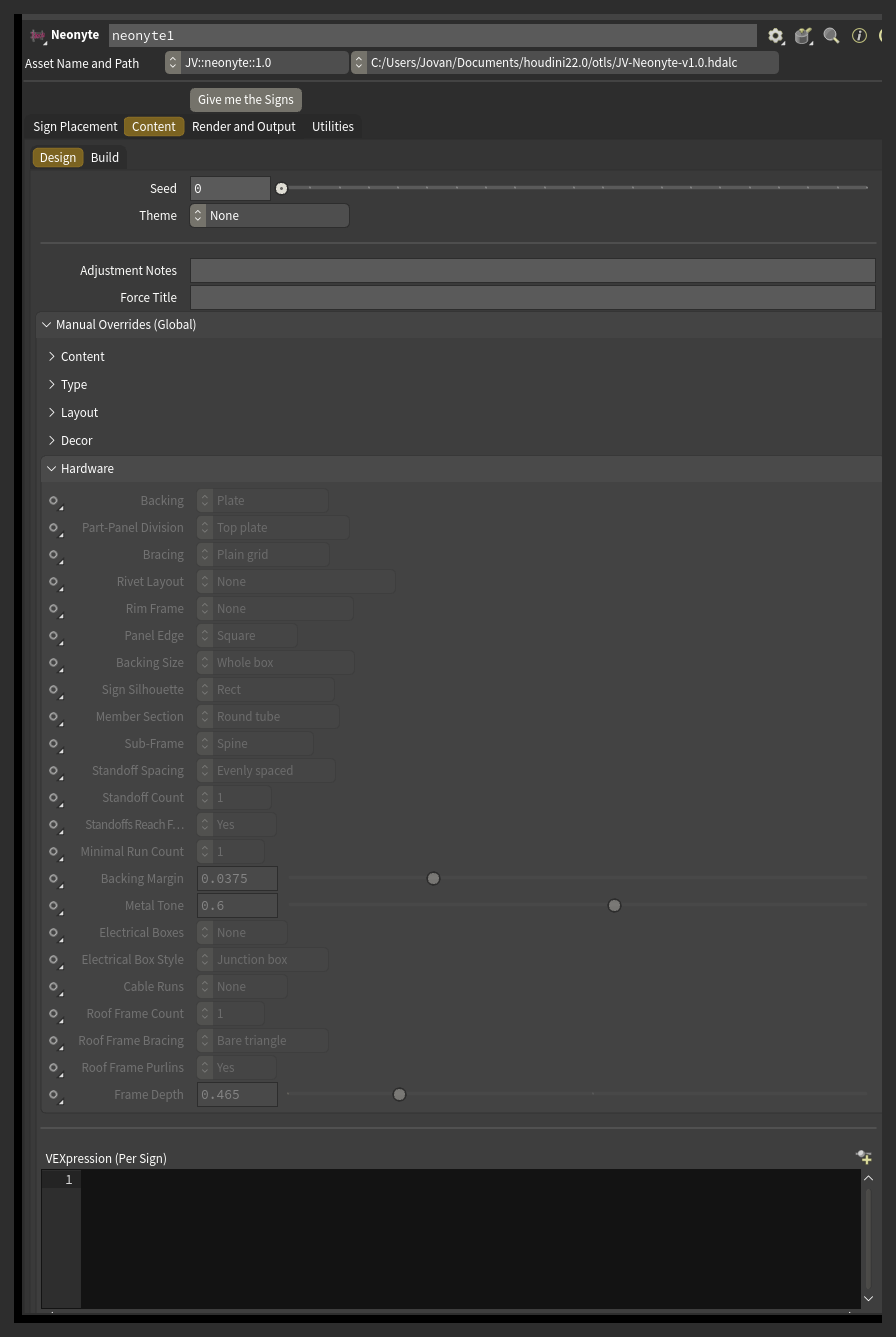
Manual Overrides (Global): the Hardware section

Full row list

Content

Row Parameter Kind What it sets
Theme theme menu Pins a style preset across the street (the ordinary Theme menu in the Content tab).
Business Type ga_type menu Pins the trade every sign advertises, overriding whatever the engine would otherwise pick.
Name Form ga_form menu Pins the shape of every sign's name - a plain category sign, an owner's name, a place name, and so on.
Era ga_era menu Weights every sign's owner name toward a decade.
Script ga_script menu Forces which writing script every sign's title uses.
Title Auto-Fit ga_txt_fit menu Controls how every sign's title is scaled to fill its space.
Title Offset X ga_txt_offx float Shifts the title sideways from where the layout would normally place it.
Title Offset Y ga_txt_offy float Shifts the title up or down from where the layout would normally place it.
Title Rotate ga_txt_rot float Tilts the title away from its normal orientation.
Title Tracking ga_txt_track float Adjusts the spacing between the title's letters.

Type

Row Parameter Kind What it sets
Colour ga_colors menu Pins the neon color for every sign.
Font Class ga_fontclass menu Forces the general category of typeface, overriding whatever the name form would normally call for.
Font Style ga_font menu Prefers typefaces tagged with a particular style, such as stencil or gothic.
Tube Gauge ga_gauge menu Forces the thickness of the neon tubing, from real stock sizes.
Tube Thickness ga_radius float Scales the neon tube thickness up or down from its normal gauge.
Brightness ga_emit float Scales how brightly every sign's neon glows.
Title Colour Policy ga_col_mode menu Controls how color is spread across the title's letters.

Layout

Row Parameter Kind What it sets
Named Layout ga_layout menu Pins every sign to one of the hand-built layout templates, and turns off the procedural layout generator so the pin actually sticks.
Composition ga_arch menu Forces the logo lockup style.
Alignment ga_align menu Forces which edge every text element on the sign lines up against.
Letter Swapped For Icon ga_glyph menu Forces one letter in the title to be swapped for a matching icon, or forbids it entirely (a donut for the O in DONUTS is the classic example).
Icon Presence ga_icon float Scales how likely every sign is to carry an icon.

Decor

Row Parameter Kind What it sets
Decor Family ga_ornaments menu Restricts every sign's decor to one family, like arrows, stars or scallops.
Background Decor ga_bg menu Forces the dim decor sitting behind everything else on the sign on or off.
Decor Count ga_decor_n menu Sets how many lines a multi-line decor element draws, such as a set of rays or a row of chevrons.
Decor Stroke Lines ga_strokes menu Draws decor lines as two or three parallel strokes instead of one.
Dashed Decor ga_dash float Scales how likely every sign's decor is to be dashed rather than solid.

Hardware

Row Parameter Kind What it sets
Backing ga_hw_l1 menu Forces what kind of backing every sign hangs on.
Part-Panel Division ga_hw_mix menu Forces how a Part panel backing divides the sign face into solid and open regions.
Bracing ga_hw_brace menu Forces the truss pattern inside each bay of a pipe grid backing.
Rivet Layout ga_hw_rivet menu Forces the layout of studs and rivets around the backing panel's edge.
Rim Frame ga_hw_frame menu Forces a rim around the backing - either standing proud of the face or returning back like a shallow cabinet - or removes it.
Panel Edge ga_hw_edge menu Forces how the backing panel's edge is cut - flat, chamfered out, or chamfered in.
Backing Size ga_hw_fit menu Forces whether the backing covers the whole sign box or is fitted tight around the neon it sits behind.
Sign Silhouette ga_hw_shape menu Forces the backing to follow a badge-style outline instead of a plain rectangle.
Member Section ga_hw_profile menu Forces the cross-section shape of every rig member on every sign.
Sub-Frame ga_hw_l2 menu Forces the shape of the sub-frame that sits behind the backing.
Standoff Spacing ga_hw_l3pat menu Forces how the standoffs bolting every sign to the building are spaced out.
Standoff Count ga_hw_l3n menu Forces how many standoffs to try to build.
Standoffs Reach For The Wall ga_hw_l3fan menu Forces whether standoffs are allowed to angle sideways to find the building, instead of only going straight back.
Minimal Run Count ga_hw_min_n menu Forces how many straight rails a Minimal runs backing uses.
Backing Margin ga_hw_margin float Forces how much extra room the backing leaves around the neon it sits behind.
Metal Tone ga_hw_grey float Forces how light or dark the rig's metal color is.
Electrical Boxes ga_hw_eb_n menu Forces how many transformer or driver boxes every sign carries.
Electrical Box Style ga_hw_eb_style menu Forces which kind of electrical box every sign carries.
Cable Runs ga_hw_cab_n menu Forces how many cable runs lead from the electrical box to the rig.
Roof Frame Count ga_hw_tr_n menu Forces how many support triangles hold up a rooftop sign.
Roof Frame Bracing ga_hw_tr_brace menu Forces the internal bracing pattern inside each rooftop support triangle.
Roof Frame Purlins ga_hw_tr_tie menu Forces whether the rooftop support triangles get longitudinal purlins tying them together.
Frame Depth ga_hw_tr_base float Forces how far a rooftop support triangle's base runs back across the roof.

Aging

Row Parameter Kind What it sets
Deterioration decay toggle Switches deterioration on or off for the whole street (the Enable Deterioration toggle in the Content tab).
Deterioration Amount decay_amt float How run-down the street looks overall, as a percentage (the Deterioration slider in the Content tab).